If you would prefer to embed a nice looking booking banner on your website, rather than the booking calendar itself, we provide a several professionally designed buttons / banners of various sizes that might interest you.
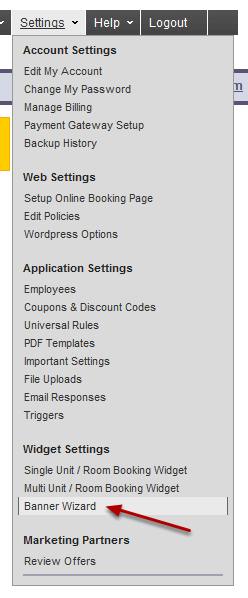
Click on the Banner Wizard Menu Item
Add a New Banner by Clicking on the "+" Sign
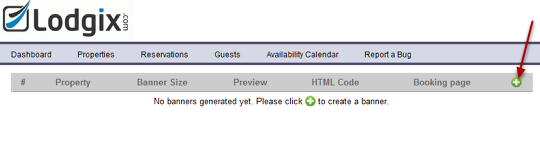
Follow the Four Step Process
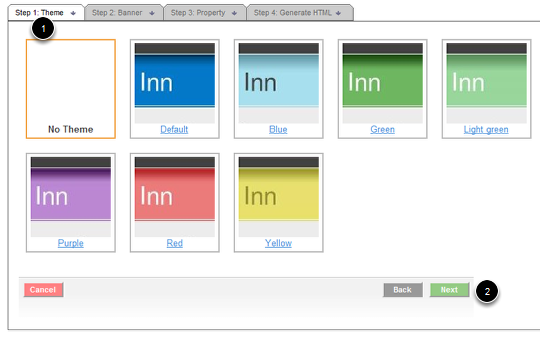
Step #1: Choose a Theme. This is the color scheme of the online booking page that the banner will trigger.
Step #2: Click "Next"
Choose a Banner and a Banner Size
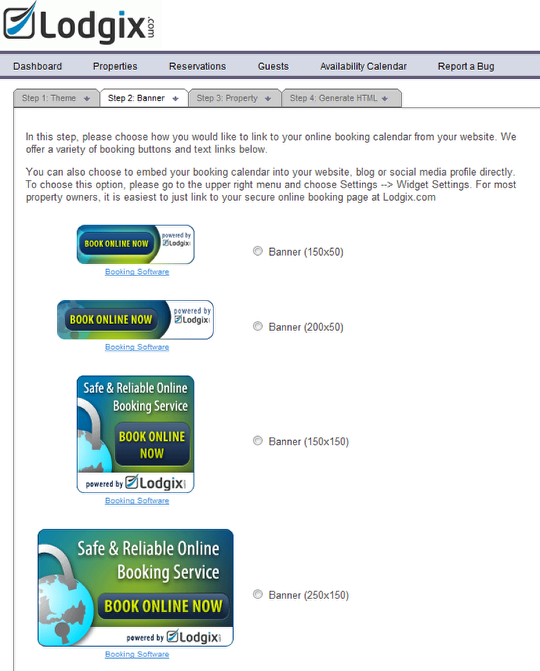
Click "Next" at the bottom of the screen
Choose a Calendar
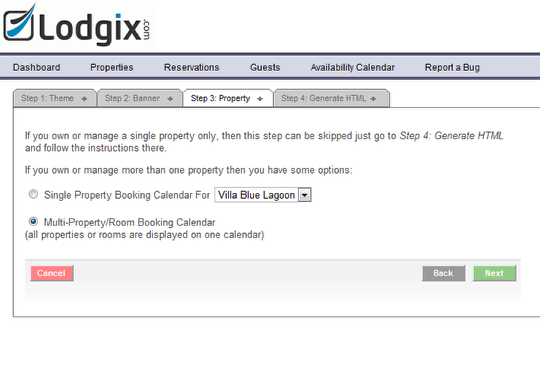
If you have multiple units, you might want the banner to open the online booking page and display the multi-unit calendar or you might want to open the single-unit calendar for your property. It’s your choice!
Click "Next" to continue.
Copy and Paste the Provided HTML Code into your Website / Blog.
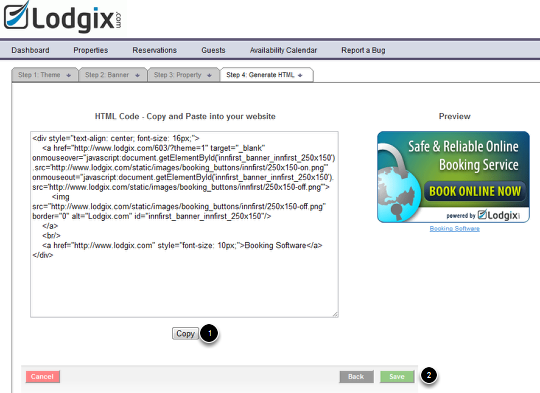
Step #1: Click the copy button and paste into your website where you wish the banner / button to appear
Step #2: Click on the Save Button for future reference