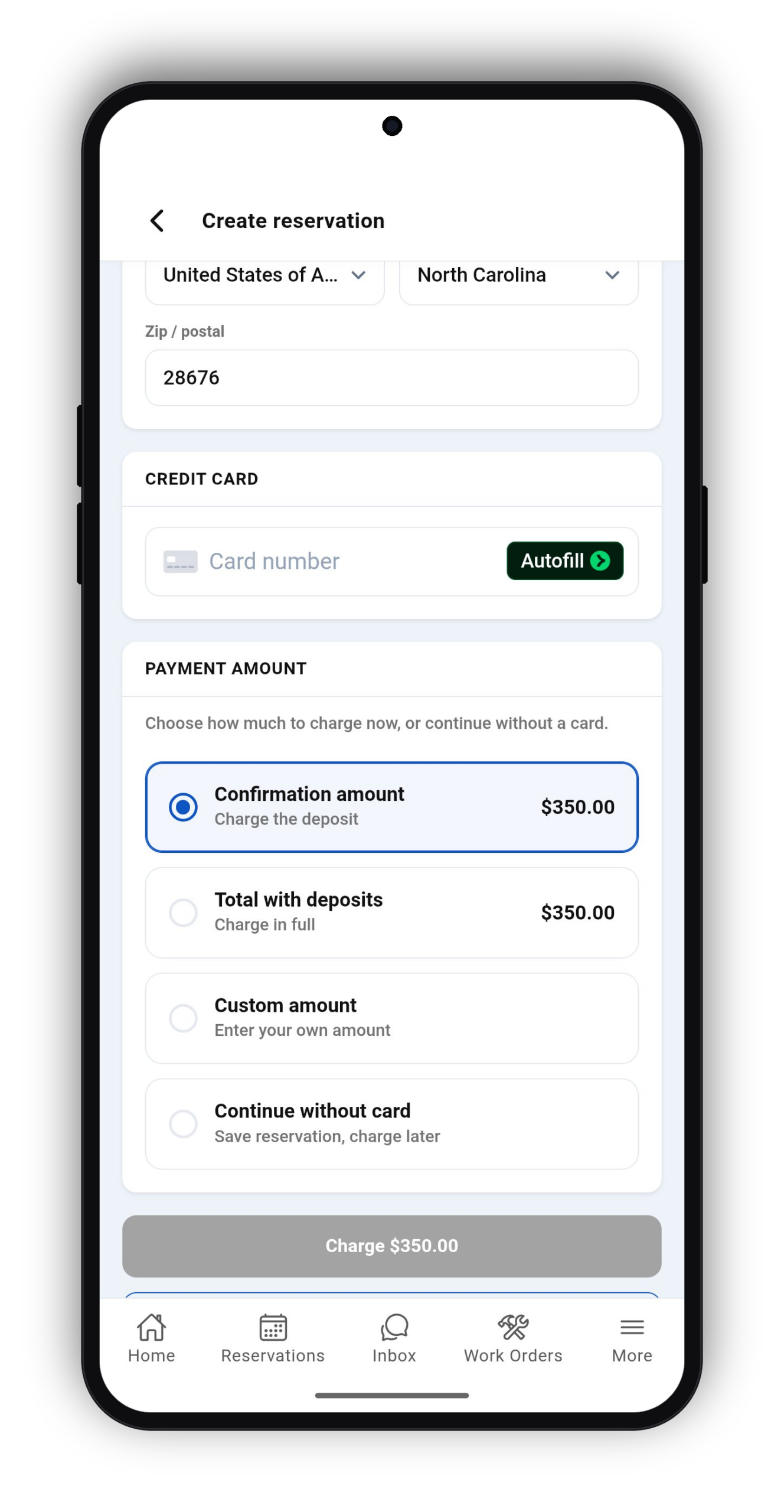

Managing payments just got easier: you can now process Stripe payments for existing reservations directly from the Lodgix Admin App. No more switching to a desktop browser to handle a guest’s card—everything you need is right at your fingertips, wherever you are. Previously it was only possible to enter payment information for new reservations.
Stripe Payments in the Lodgix Admin App
Collect payments from guests anytime, anywhere, without ever leaving the mobile app.
Whether you’re on-site at a property, away from your desk, or simply prefer working from your phone, you can now charge a guest’s card through Stripe for any existing reservation directly within the Lodgix Admin App. This streamlines your workflow, reduces the time it takes to collect balances or additional fees, and ensures you never miss an opportunity to process a payment when you need to.
We’re excited to keep bringing more of Lodgix’s powerful features into the mobile experience, so you can manage your vacation rental business with ease no matter where the day takes you. As always, we’d love to hear your feedback on what would make your workflow even smoother.
What’s New at a Glance
- Process Stripe payments for existing reservations directly from the Admin App
Create Reservations & Collect Payments From Your Phone
Create bookings, charge deposits, collect full balances, or save reservations without a credit card—all from the Lodgix Admin App. Whether you're in the office, at a property, or on the go, reservation management is always within reach.