SMS New Booking Alerts Have Launched!

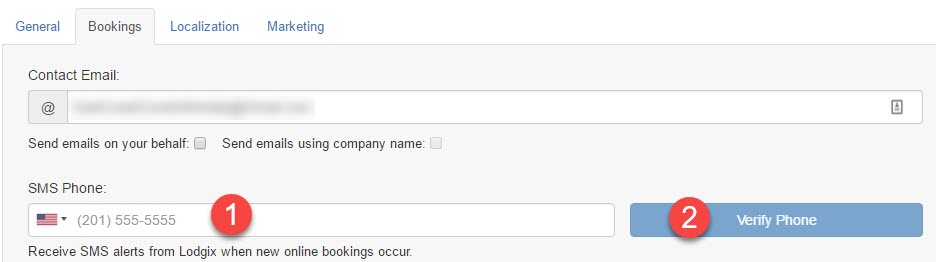
It is now possible to configure a text alert (SMS) when new online bookings occur.   To configure this service:

  1. Navigate to settings > important settings within Lodgix (https://www.lodgix.com/system/isettings/bookings/)
  2. Go to the Bookings Tab
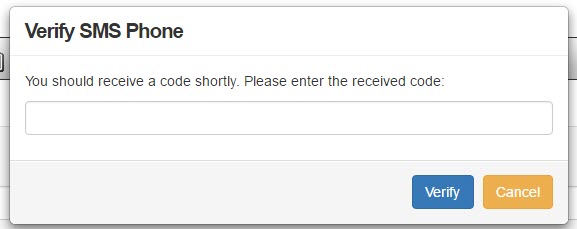
  3. Verify your mobile phone number, and then click on Verify Phone and enter the code that is sent to you via SMS.
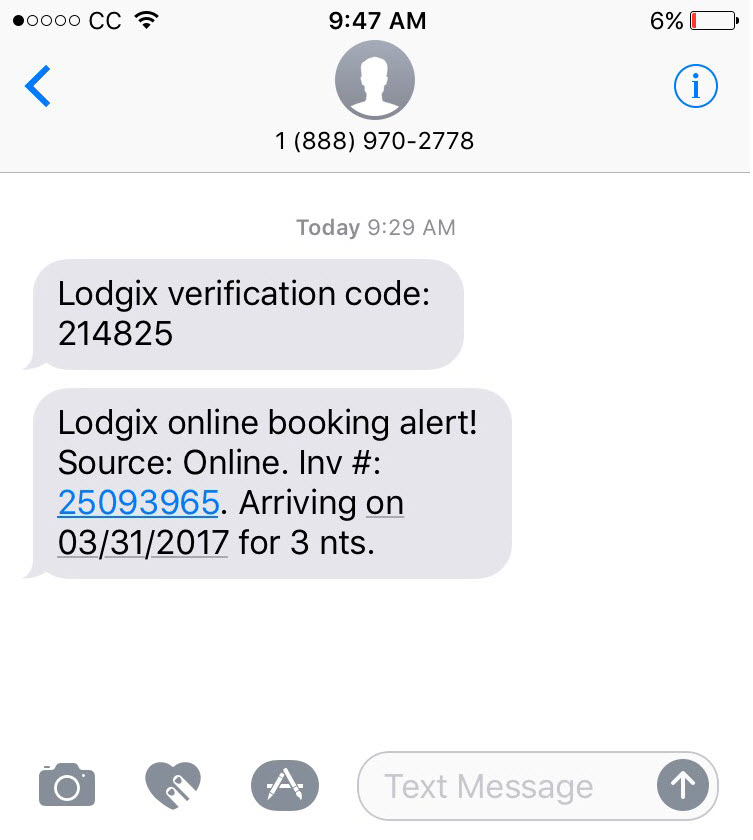
  4. Once complete a SMS alert will be sent to that number for every new online booking (see example below)
Related Posts

New Features
Brent Kleinheksel

Should You List on Booking.com? A Guide for Vacation Rental Managers

For years, Airbnb and VRBO have dominated the conversation among vacation rental managers in North America. But quietly, Booking.com has become one of the largest sources of short-term rental bookings worldwide — and many U.S.-based managers are starting to take notice. If you’re looking to diversify your booking channels, reduce

Read More
Scroll to Top