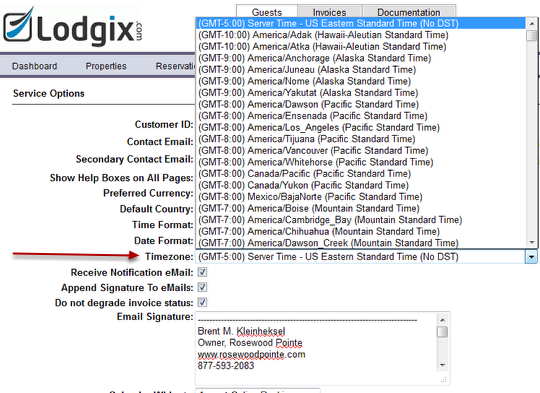
It is important to setup the correct timezone for the location of your properties. Lodgix.com sends out alerts and updates the dashboard at various intervals throughout the day. If you are located on PST time and the application is set to the default EST time, your dashboard could be telling you around 10pm that you have check-ins for that day when in reality the check-ins do not occur until the next day. Setting the application to the correct timezone will correct this problem.
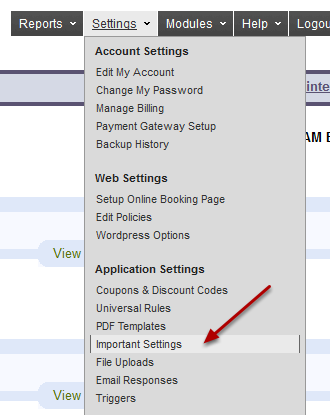
Settings –> Important Settings
Go to the area for Timezone and choose the closest location to your properties
Make sure to SAVE your settings at the bottom of the screen!